Strength Training App for Tracking Progressive Overload
Getting stronger is easier to understand when you can see the work behind it. Liftlog+ helps you record strength sessions and compare them over time, whether you train with barbells, dumbbells, machines or bodyweight.
These workflows describe Liftlog+ on iOS. Android is developed independently, so features and exercise availability can differ.
Make progressive overload visible in your training log
Progressive overload means increasing training demands over time in a way that fits your program and ability. It is not a requirement to add weight at every workout. A strength training app is useful because it preserves the details you need to judge what has actually changed.
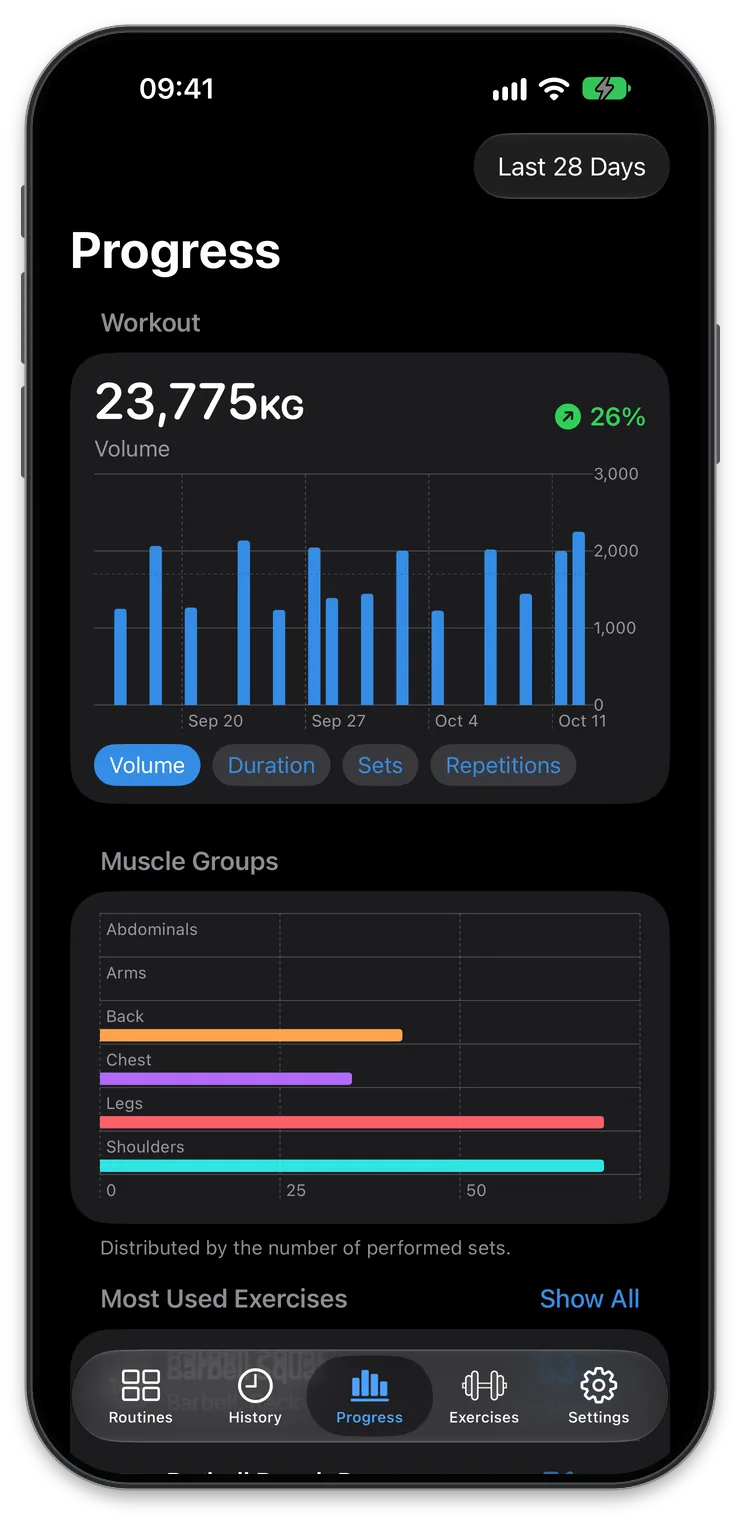
Liftlog+ records exercises, sets, repetitions and weights, with history and progress charts to help you review repeated sessions. You supply the training plan. The app gives you a record that is more dependable than remembering only your strongest or most recent set.
The same approach works with barbells, dumbbells, machines and bodyweight movements, provided your entries stay consistent.
Compare the same task before comparing the numbers
A heavier weight only tells part of the story. Did you perform the same exercise variation? Was the range of motion similar? Did you move it earlier in the workout? Did you complete fewer repetitions?
These details matter because a training log is most useful when it compares repeatable tasks. Keep different variations under clear exercise names. A barbell squat and a different squat variation may both belong in your program, but combining them into one history can hide the distinction.
Notes can capture changes that do not need their own exercise entry. Use them selectively for equipment, setup or execution differences that will matter when you look back.
Track repetitions as well as weight
An illustrative sequence might look like this: at the same load, one session records eight, eight and seven repetitions across three sets. A later comparable session records eight repetitions on each set. The load has not changed, but the completed work has.
That example is a way to read a log, not a prescription for your sets or repetition range. Your program should determine the targets and how you respond to them.
Likewise, adding weight while completing substantially fewer repetitions is a different result, not automatically a better one. Recording the full session gives you the information to distinguish those changes instead of reducing progress to the largest number beside an exercise.
Use effort and context when they help
Two sessions can have identical weights and repetitions but feel different. With Liftlog+ Pro on iOS, record a perceived-effort estimate using RPE and add a workout or exercise note for a meaningful change in circumstances.
Effort estimates are subjective. They become more useful when you use the same approach consistently rather than treating them as precise measurements. They also do not measure technique quality or tell you whether a heavier attempt is appropriate.
If your program uses RPE, the powerlifting guide and RPE calculator explain that context. You do not need RPE for every exercise to keep a useful strength log.
Review trends instead of demanding daily improvement
Performance can fluctuate from session to session. Look at several comparable entries before deciding that a single difficult workout represents a long-term problem.
Useful review questions include:
- Am I repeating the exercises often enough to compare them?
- Are the same loads becoming more manageable across the planned sets?
- Have changes in exercise order or variation affected the comparison?
- Does my recorded work match the program I intended to follow?
More volume is not automatically better, and a chart cannot determine the right workload for you. The value of the app is that it makes the record available when you review your plan, on your own or with a coach.
Keep progression decisions separate from logging
Accurate logging comes first. If a workout is difficult, record it honestly rather than increasing a target simply to make the next entry look more ambitious.
A program may call for increasing load, repeating a session, changing repetitions or reducing work for a period. Use Liftlog+ to enter the revised targets and document the results; progression decisions remain yours or your coach’s. The weightlifting journal guide shows how to review a training block before making changes.
Strength training app questions
Do I have to increase weight every session?
No. Progression depends on your program, experience and the exercise. Repetitions, consistency and other changes can matter alongside load. A log should document what happened rather than pressure you to produce a bigger number every time.
Can I use this approach for bodyweight exercises?
Yes. Keep the variation and assistance clear, then compare repeated performances of the same movement. When you change to a more demanding variation, recognize that you have changed the task. See calisthenics tracking for examples.
Will Liftlog+ choose my next training weight?
You choose the next targets in your routine. Use your program, recent sessions and appropriate coaching to decide what to attempt. Neither a chart nor an estimated maximum should be treated as an instruction to lift a particular weight.
What if my numbers are not improving?
Start by reviewing whether the entries are genuinely comparable and whether you have followed the intended plan. The log can reveal useful patterns, but it cannot diagnose every reason for a plateau or prescribe an individualized solution.
Exercises to explore
More ways to use Liftlog+
Download for Free!
Plan & track your gym workouts with Liftlog+ and stay motivated.
Free to download with optional in-app purchases. Notes and RPE logging require Liftlog+ Pro on iOS. Features and prices vary by platform.